

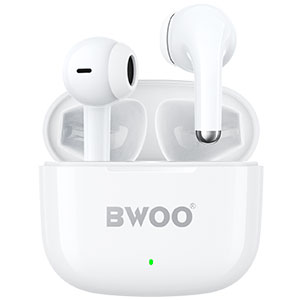


In 2026, True Wireless Stereo (TWS) earbuds are used longer and more frequently than ever before. But with increased usage comes a hidden problem: dirt, bacteria, and oxidation.
Hygiene risk: Earwax and moisture buildup can lead to ear infections.
Performance loss: Blocked sound ports reduce volume and clarity. Dirty charging contacts can cause charging failure.
Core insight: Cleaning your TWS earbuds is not just about appearance—it's essential for sound quality, device lifespan, and ear health.
1. Preparation: Use the Right Tools (and Avoid the Wrong Ones)
Before you start, using proper tools is critical to avoid damaging delicate components.
What NOT to use:
Bleach or harsh chemical cleaners
Running water directly on earbuds or case
Sharp metal objects (pins, needles)
Recommended tools:
70%–75% isopropyl alcohol wipes or lint-free cloth
Soft-bristle brush (or a clean toothbrush)
Cotton swabs
Cleaning putty (for deep debris removal)
These tools ensure safe cleaning without harming acoustic components or circuits.
2. Step-by-Step: Cleaning the Earbuds
Remove Ear Tips (For In-Ear Models)
Detach silicone ear tips and wash them with mild soapy water.
Let them dry completely before reattaching.
Clean the Mesh (Most Critical Step)
Hold the earbuds with the sound outlet facing downward
Gently brush away debris using a soft brush
Use cleaning putty to lift embedded earwax from the mesh
This prevents dirt from falling deeper into the acoustic chamber.
Wipe the Exterior
Use a lightly dampened alcohol wipe to clean the surface.
Avoid microphone holes and sensors to prevent liquid damage.
3. Step-by-Step: Cleaning the Charging Case
Clean Charging Contacts (Fix Charging Issues)
Charging problems are often caused by dirty connectors.
Use a cotton swab with a small amount of alcohol
Gently clean the pogo pins inside the case
Wipe the metal contacts on the earbuds
BWOO Tip: BWOO earbuds feature anti-oxidation coatings, but regular cleaning prevents corrosion from sweat and humidity.
Clean Internal Grooves
Use a slim cotton swab to reach corners and edges inside the case.
Clear the Charging Port
Inspect the USB-C port for dust or lint.
Use a non-metal tool (like a wooden toothpick) or air blower to remove debris.
4. Preventive Maintenance Tips (2026 Best Practices)
Keeping your earbuds clean is easier than fixing problems later.
After workouts: Wipe off sweat before placing earbuds back
Storage matters: Avoid humid or dusty environments
Cleaning frequency:
Heavy users: once a week
Regular users: twice a month
Consistent care significantly extends product lifespan and maintains sound quality.
5. Conclusion
Great sound starts with proper care.
In fact, 80% of "earbud issues" are caused by dirt—not hardware failure.
A simple 5-min mobile accessories, BWOO is ready to support your business growth.
About BWOO
BWOO is a professional B2B manufacturer of mobile accessories, specializing in TWS earbuds, power solutions, and smart audio devices.
We provide:
High-quality products with strict quality control
Flexible wholesale and customization solutions
Reliable global supply chain support
If you are looking for a trusted partner in mobile accessories, BWOO is ready to support your business growth.


